Cybersecurity Awareness – October 2026
Think Before You Click — Protect Yourself and KB!
When we think about workplace safety, we often think about PPE, machine guarding, and preventing injuries. But safety also includes protecting our computers, company information, and personal data!
October is Cybersecurity Awareness Month, making it a great time to refresh our habits and remember that one small mistake online can create a big problem for the entire company. Cybercriminals are always looking for ways to steal information, access company systems, or trick employees into sending money or sharing sensitive details.
The good news? A few simple habits can make a big difference!
Watch Out for Phishing
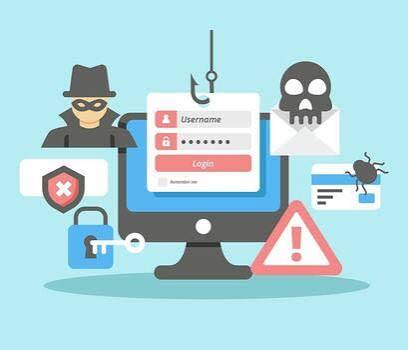
Phishing emails and text messages are designed to look legitimate, often pretending to come from a coworker, manager, vendor, or familiar company. They may ask you to click a link, open an attachment, verify your password, or make a payment.
Before you click, take a closer look:
- Check the sender’s email address carefully.
- Be cautious of unexpected attachments or links.
- Look for unusual wording, urgent requests, or messages that seem out of character.
- If a manager or vendor requests a change in payment information, verify it using a trusted phone number or another known method.
- When in doubt, don’t click! Contact the sender through a separate, trusted communication method.
Keep Your Information Secure
- Use strong, unique passwords. Never reuse your work password for personal accounts.
- Enable multifactor authentication (MFA) wherever available. It adds another layer of protection beyond your password.
- Never share your login credentials or approve an unexpected MFA request.
- Lock your computer whenever you step away from your workstation.
- Keep software and devices updated so security fixes are installed.
- Protect company information. Only share files and sensitive information with authorized people, using approved company systems.
What If You Make a Mistake?
Clicked a suspicious link? Opened an unexpected attachment? Entered your password on a questionable website? Don’t panic, and don’t ignore it.
Report it to your supervisor or the appropriate IT contact immediately, following company reporting procedures. Quick reporting can help limit the damage. Don’t try to hide the mistake or assume nothing happened.
Safety Tip of the Month
Cybersecurity is everyone’s responsibility. Just as we speak up when we see an unsafe condition on the job, we should speak up when we notice a suspicious email, unusual computer activity, or a possible security risk.
Pause. Think. Verify. Report.
Let’s keep our people, our information, and the Kurtz Family of Companies safe—both on the job and online!
Stay alert, stay secure, and remember: cybersecurity is workplace safety, too.